
Do you have a Girlguiding Somerset email account? I am the website and IT volunteer for the county.
Here’s how to get the most out of your account. Remember to follow Girlguiding’s brand guidelines. Learn more about how we look, and how we sound.
If you’re interested in becoming a digital champion, please get in touch!
Linda Carrington (she/they)
Website and IT admin
admin@girlguidingsomerset.org.uk
How to …
How to use docs and forms
Use Google forms
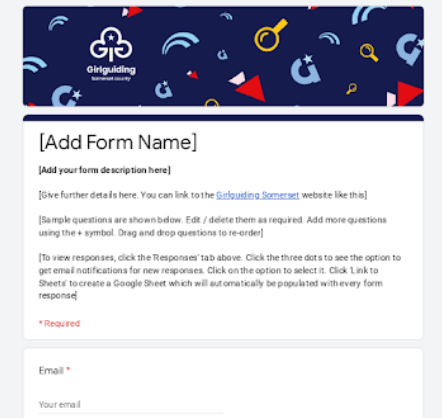
Create a Google Form to collect information to help plan an event or gain feedback. We’ve created a template to get you started.
- Go to drive.google.com
- Click + New, Google Forms, from a Template and choose the Girlguiding Somerset template
- Rename the form. (It says ‘Girlguiding Somerset Form’ at the top – click here and edit.)
- Edit the form name, description and details at the top.
- Edit the questions, using the + button to add a question, and dragging and dropping to re-order them.
- Click Responses and the three dots then ‘get email notifications for new responses’
- Click Link to Sheets to see all responses in an easy to use table.
Remember to follow Girlguiding procedure for Collecting, using and destroying personal data. Only collect information you need. Delete personal information (like form responses / and the linked Google Sheet) after the event.
If you need help with your form, please go to the three dots towards the top right and add admin@girlguidingsomerset.org.uk as a collaborator.
Create a local letterhead
We’ve created a template using the brand fonts and colours.
- Go to drive.google.com
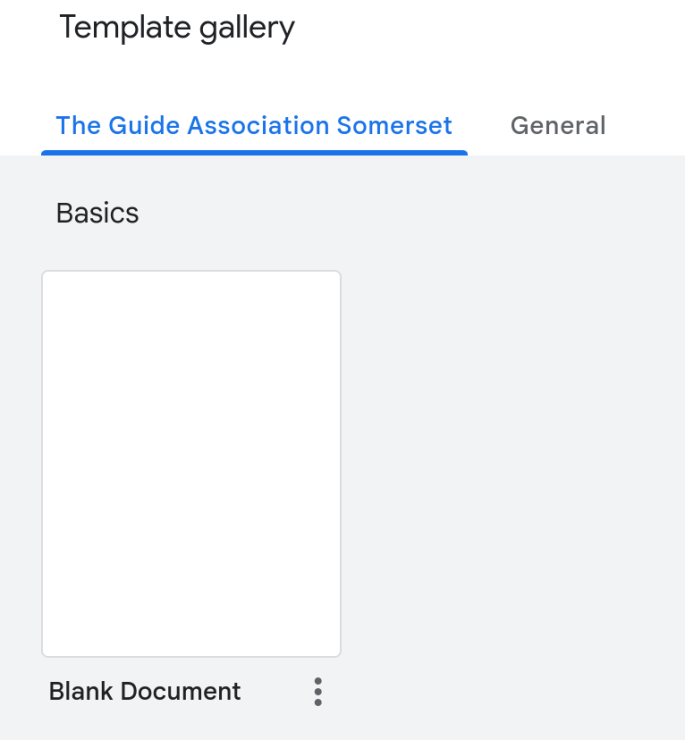
- Click + New, Google Docs, from a Template and choose the Letterhead.
- Go to View, then Show print layout.
- Add your local logo. Create it in the Online Design Centre.
- Update the contact and charity details. If your level is not a registered charity say it is “an excepted charity”.
Create a presentation
It’s a similar process to create a presentation. Go to drive.google.com, click + New, Google Slides, from a Template and choose either the dark or light options shown.
If you would like support with your document, please click Share and add admin@girlguidingsomerset.org.uk as a collaborator.
Create a blog or press release
We’ve got templates to help you prepare a blog or press release.
- Go to drive.google.com
- Click + New, Google Docs, from a Template and choose either:
- Blog AI prompt
- Case study press release AI prompt
- Fill in the blanks
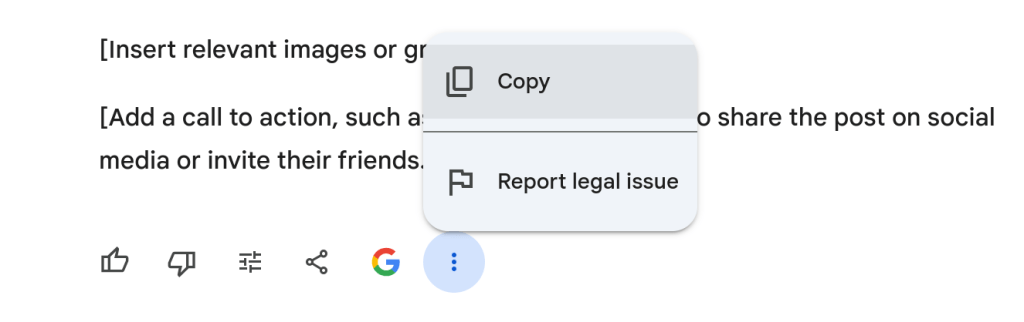
- Copy the text and paste into gemini.google.com and the AI will create a draft blog or press release for you.
Warning: Only enter content it is okay to put into the public domain. - Click the 3 dots and Copy to copy text.
- Edit the text (e.g. in a Google Doc) until you are happy with it.
Tip: Ask the AI to make changes to your draft. Talk to it like a human assistant. Use the voice input if you prefer not to type.
Make the most of our charity Google Workspace account
Create a Gmail signature
Find full instructions here.
Send email from an alias
You’ll get emails sent to your generic email e.g. role@girlguidingsomerset.org.uk, in your usual inbox.
If you’d like to send emails from an alias, follow these steps.
If you have a group email, e.g. group@girlguidingsomerset.org.uk, follow the same steps above. Remember to bcc other members of the group, so they can see what you’ve sent.
Other features of Google Workspace
If you’ve not used Google Workspace before, you may like to take a look at the Learning Center. As well as Gmail, you also have access to other Google products. These include Google Calendar, Chat, Drive (storage / document creation), Google Forms and Google Meet (a free alternative to Zoom).
 Girlguiding Somerset county